
Appearance
Linking without Spotify
If you do not use Spotify, you can still use Last.fm with another scrobbler.
Create a Last.fm account
Go to https://www.last.fm/join and sign up. Remember the username you put in.
Pick a scrobbler
Choose the scrobbler for how you plan to listen in game:
- Web Scrobbler: Best option for the game, this is a browser extension that will scrobble for you. Supports 50+ websites, including the ones listed below.
Only use the ones below if you aren't using the app versions of them.
Apple Music App: If you are on Mac, you would use Neptunes. If you are on Windows, you would use the Last.fm desktop app.
iOS - You would scrobble using the Finale app on the App Store.
Android - You would scrobble using the Pano Scrobbler app on the Play Store.
Sign into the scrobbler
Open the scrobbler and sign in with your Last.fm account. Each scrobbler method from above will have its own guide.
Play a song
Play a song in your music app, then check your Last.fm profile to make sure it appears under recent tracks.
Enter your username in game
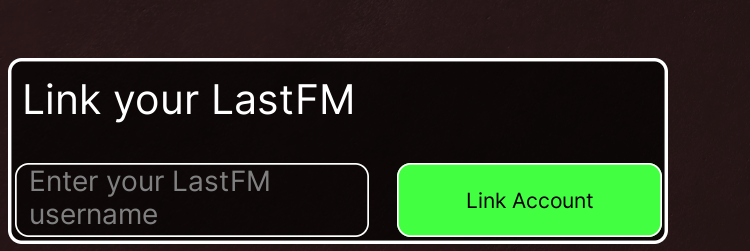
Enter your Last.fm username in the box at the bottom left of the game.
TIP
The game reads your Last.fm username, so it does not matter which music app you use as long as songs are scrobbling to Last.fm.